
If you’ve ever spent your Friday afternoon plowing through resumes and calendar invites, you already know the truth: candidate screening eats time. Between the flood of applications, initial screening calls, and back-and-forth scheduling, whole weeks vanish before your hiring team even meets a truly strong match.
Good news: you can get those weeks back.
In this guide, I’ll show you step by step how to cut your screening time by 50% (or better) by introducing AI phone-screens into your ai recruitment workflow. We’ll map out where AI belongs in the screening process in recruitment, how to design a 10-minute screen that actually predicts success, what to automate (and what not to), and how to set up guardrails so the process is fast, fair, and candidate-friendly.
Why screening takes so long (and how AI fixes each bottleneck)
Volume without signal
A single opening can attract dozens or hundreds of applications. Most teams rely on manual scanning or a basic ATS as a resume screening tool to find fit. It’s noisy and slow.What AI does: Automated resume screening uses your job rubric to score candidates against must-haves, preferences, and knockout criteria instantly shrinks the pile to a workable shortlist.- The “15-minute” call that becomes a day
Those quick HR screening calls add up, especially when candidates reschedule or ghost.
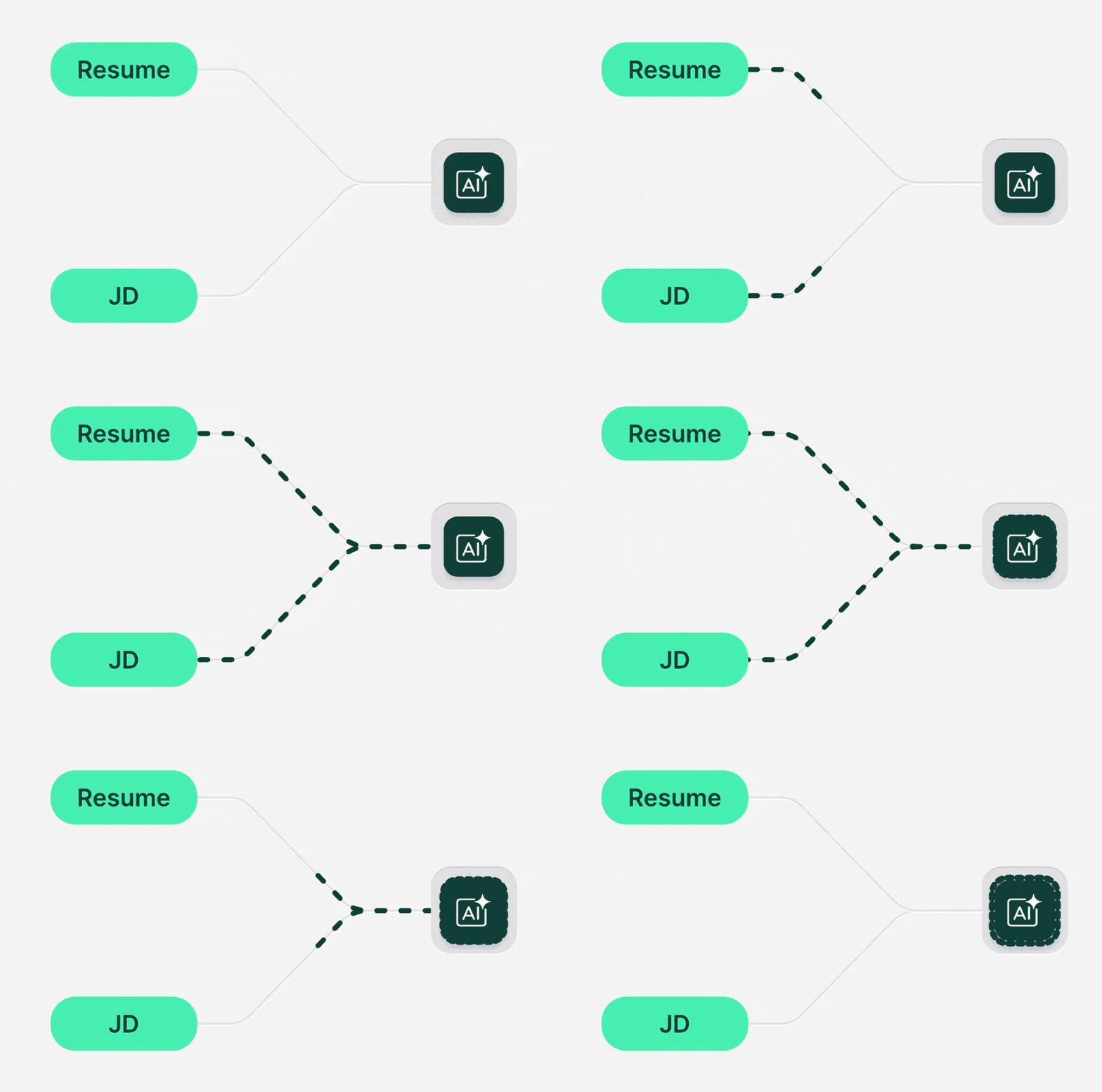
What AI does: An AI phone-screen runs the same 8–12 structured questions for each candidate asynchronously. It then scores the answers, and returns a comparable scorecard, no scheduling required. - Inconsistent criteria
Three recruiters, three versions of “strong communication skills.”
What AI does: First, we write down what matters, must-have and what ‘great’ looks like. Then AI applies that same standard to everyone. It’s faster and more fair for all.
What exactly is an AI phone-screen?
An AI phone-screen is a short, structured interview (typically 8–12 minutes) delivered via voice or chat. Candidates can take it up at their convenience. The system analyzes their answers for content (facts, outcomes, tools), reasoning (how they solved problems), and communication (clarity, structure).
Set up AI phone screen
With JusRecruit, you can use AI phone screens to cut your screening time from 2 weeks to mere 3 days.
How it works in practice
- Trigger: When a candidate applies and meet the must have’s (eg: They are ready to work onsite) they receive an invitation to complete the AI screen within 24–48 hours.
- Interview: The candidate answers a small set of questions that probe must-have competencies and practical experience.
- Scoring: The AI maps each answer to match a criteria in the hiring rubric. Recruiters get candidate’s scorecard with highlights, concerns, and a pass/fail recommendation.
- Handoff: Only ranked, evidence-backed candidates progress to human interviews.
Where it sits in the screening process in recruitment
- Intake & rubric → 2) AI phone-screen → 3) Human review of top candidates → 4) Next screening activity (eg: Assessments).This sequence compresses early funnel time from weeks to hours while preserving signal.
The 50% Time-Savings Blueprint (step-by-step)
1) Lock the rubric before you screen
- Define must-haves: 4–6 non-negotiables tied to outcomes (“Owned a monthly quota of ₹X,” “Shipped features end-to-end,” “Handled 40+ support tickets/day with CSAT ≥ 90%”).
- Create levels: What’s “baseline,” “good,” and “great” evidence for each competency? Write one-line descriptors.
- Set Criteria: Location, language, work authorization, shift requirements.
Tip: The clearer the rubric, the better the automation in recruitment. Ambiguity is the enemy of speed.
2) Ask application questions for Must have’s
- Configure your application questions to see the must have’s early on.
- Set thresholds:
- Auto-reject: Fails any Criteria.
- Invite to AI screen: Meets must-haves.
3) Automate invites, reminders, and status updates
- Trigger invites immediately upon meeting criteria.
- Send a gentle reminder at 24 hours and a final reminder at 48 hours.
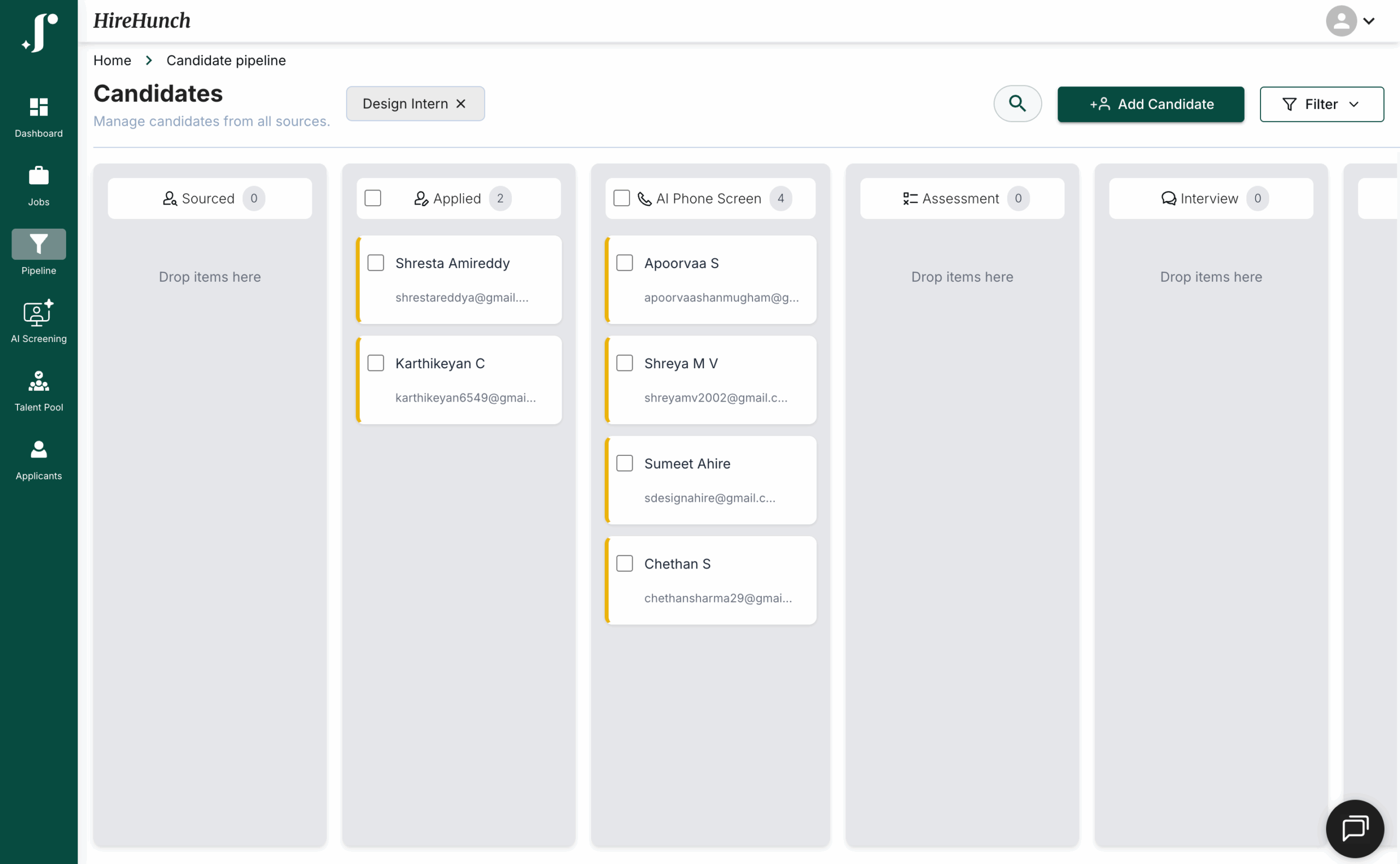
- Update pipeline status automatically (“Invited,” “In progress,” “Completed,”).
In JusRecruit you can see the status of phone screen for each candidate for each job post.

4) Conduct 10-minute AI phone-screen that predicts success
Use 5–7 questions max. Keep them evidence-based:
- One story on core responsibility (“Tell me about the most impactful feature/deal you owned in the last 6 months goal, your role, result.”)
- One “how” question (process, tools, prioritization)
- One obstacle (ambiguity, conflict, failure and learning)
- One metric (quota, uptime, response time, conversion, CSAT)
- One role-specific scenario (short hypothetical)
- One culture/value prompt (collaboration, ownership)
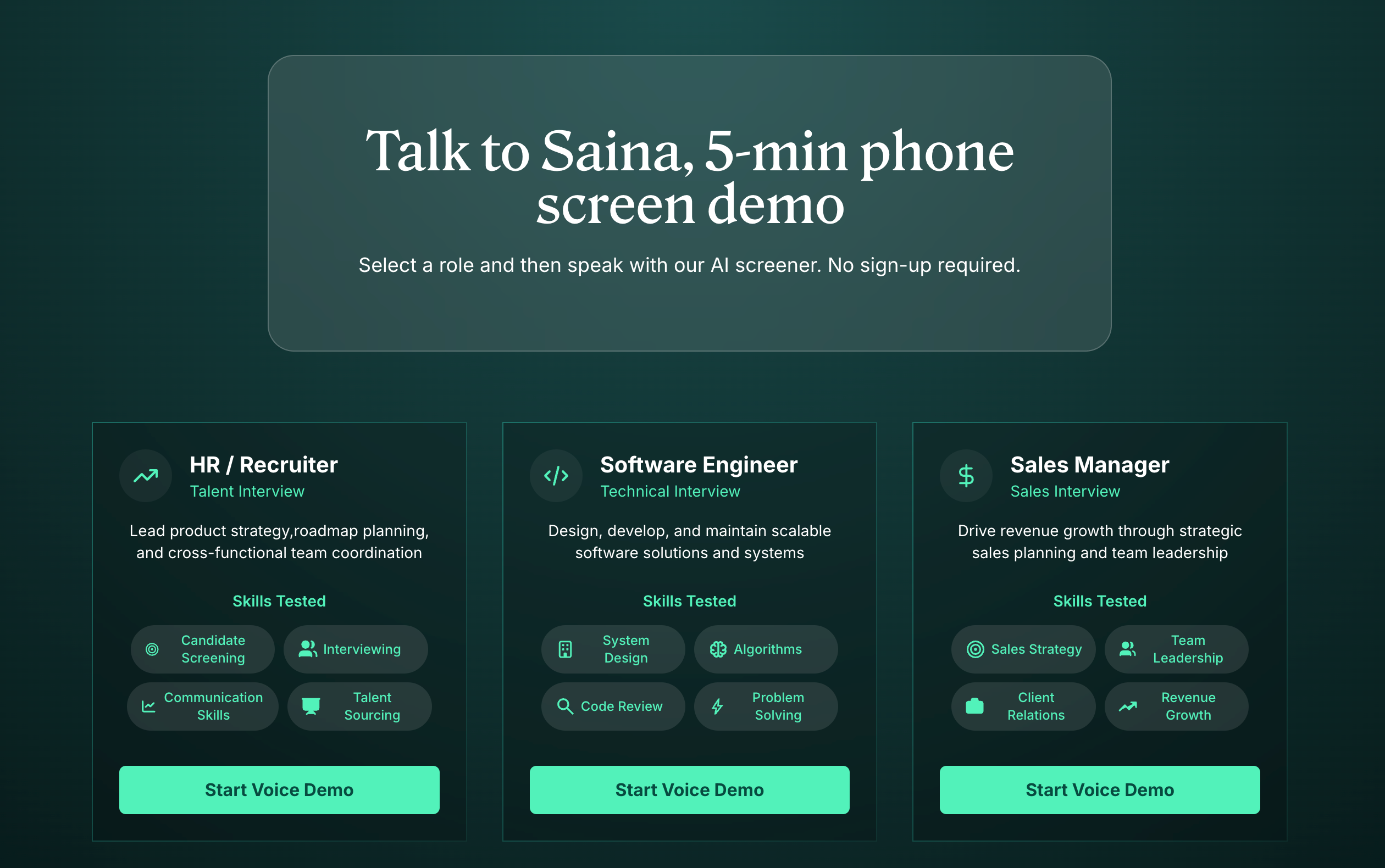
You can try an AI phone screen from our Try Interview page
5) Rank, route, and move
- Establish pass thresholds (e.g., ≥ 60/100).
- Route top candidates to the right next step (assessment, hiring manager sync).
- Batch-review scorecards to schedule humans only with high-signal profiles.
6) Keep a short human check
- Do a quick human read on edge cases.
- Spot-check random scorecards weekly.
- Capture hiring manager feedback to refine the rubric.
7) Close the loop with data
- Track time-to-screen, pass-through rate, and onsite pass rate by source.
- Iterate on questions that produce the strongest separation between “proceed” and “decline.”
- Update the rubric when business needs change.
If a question does not predict later success, rewrite or remove it.
The metrics that prove your 50% time win
Time-to-screen
Measure the median hours from application to disposition (“advance” or “decline”). With recruiting automation tools, teams often move from days to hours.
Pass-through rate by source
Track the percentage of applicants who pass automated resume screening and then the AI phone-screen. This tells you which sources produce quality, not just quantity.
Onsite/panel pass rate
If your AI screen is calibrated well, the downstream pass rate should rise (fewer low-signal onsites).
Candidate experience (NPS / CSAT)
Ask candidates to rate the screen’s clarity and fairness. A short, transparent AI step often improves satisfaction because it’s fast and predictable.
Adverse impact checks
Keep an eye on subgroup pass rates to ensure your automation isn’t creating bias. Address issues with question design, thresholds, and human review practices.
Implementing AI phone-screens in one afternoon
Choose your stack
You’ll need:
- ATS or lightweight pipeline to track status and notes
- Automated resume screening to pre-score applications
- AI phone-screen module to deliver the interview and score answers
(If you prefer all-in-one over stitching point tools, look for a platform that bundles ATS + hiring automation + AI screen. Fewer moving parts, faster setup.)
Connect your sources
- Job board and careers page apply forms funnel into the ATS.
- Referrals land in the same pipeline and trigger the same automation .
- For internal moves, pipe profiles through the exact same rubric to keep things fair.
Launch, watch, and tweak
- Turn on auto-invites and reminders.
- Watch the first 20 completions. Are “great” candidates getting flagged correctly?
- Fine-tune phrasing that triggers superficial answers. Ask for specifics: “What was your role? Which tools? What metric moved?”
The napkin math ROI of AI phone-screens
Let’s do quick math with conservative assumptions.
- 150 applicants per role
- 50 pass resume filter → previously, 15-minute human screens = 12.5 hours
- With automated interviews, those 50 complete a 10-minute AI screen asynchronously (no recruiter time).
- Recruiter reviews 20 top scorecards at ~3 minutes each = 1 hour
- You saved ~11.5 hours for one opening ->90% reduction on phone-screen labor.
Multiply by the number of open roles, and factor the opportunity cost of delayed hires. Even modest improvements pay for themselves quickly.
Guardrails: speed and fairness with ai in hiring
Be explicit about competencies
Vague prompts (“Tell me about yourself”) invite fluff. Ask for project names, metrics, tools, and role clarity.
Keep a human in the loop
Use AI for consistent screening; keep humans for judgment calls, exceptions, and final decisions.
Disclose and invite feedback
Tell candidates why you use AI (“to keep the process fair and fast”) and how it’s used (a preliminary screen). Offer a way to ask questions or request accommodation.
Audit regularly
- Monitor subgroup pass rates (gender, region where appropriate and lawful).
- Spot-check scorecards weekly.
- Retire questions that correlate poorly with later-stage success.
Protect data
Store only what’s necessary; apply retention policies; limit internal access. Compliance builds trust.
Common pitfalls (and easy fixes)
- Over-automating everything: Use automation for repeatable early signals; keep humans for nuance.
- Ambiguous rubrics: If you can’t describe “good,” the AI can’t either. Write those descriptors.
- Too many questions: Ten minutes beats twenty. Shorter screens get higher completion and better answers.
- Ignoring candidate experience: Friendly tone, clear instructions, and mobile-friendly UX matter.
- No iteration loop: Your first draft won’t be perfect. Review results every 1–2 weeks and refine.
What “great” looks like (before/after snapshot)
Before
- 9 days from application to phone screen
- 35 phone screens/week, many low-signal
- Hiring managers drowning in weak interviews
- Inconsistent notes and gut-feel decisions
After
- Same-day AI invitation; 70% complete within 48 hours
- Recruiters review ranked scorecards for the top 20% only
- Hiring managers meet stronger, pre-vetted candidates
- Consistent, shareable evidence in each profile
- Time-to-first-interview cut by 50–70%
Conclusion: faster, fairer hiring without the headache
You don’t need to choose between speed and quality. With a clear rubric, a short AI phone-screen, and light recruiting automation tools around it, you can move from “we’re swamped” to “we’re selective and fast.” The payoff shows up everywhere fewer low-signal calls, happier hiring managers, and candidates who feel the process is transparent and respectful.
If you’ve been meaning to modernize your candidate screening process, start with the 10-minute AI screen. It’s the simplest, highest-leverage change you can make. Set it up once, keep humans where they shine, and let automation in recruitment do the rest.
Your next great hire is closer than you think now you’ll get to them twice as fast.
FAQ: quick answers for skeptical teammates
No. It replaces repetitive, low-value screening so recruiters can focus on candidate engagement, stakeholder alignment, and closing.
Not at all. The scripts above cover Sales and Support as well. The key is tying questions to outcomes and tools.
Use structured, job-related questions and consistent scoring. Audit results, keep humans in the loop, and adjust thresholds as needed.
Absolutely when a candidate’s score is borderline or the role is highly nuanced. Think of AI as the fast, fair first pass.
Tell them why you use it, keep it short, and make the next steps quick. Many appreciate a fast, predictable process.